Sequences
Automate your outreach with multi-channel sequences. Combine email, WhatsApp, and LinkedIn in personalized campaigns.
Overview
Sequences allow you to automate your outreach to candidates with multi-step, multi-channel campaigns. Create personalized sequences that combine email, WhatsApp, and LinkedIn messages to engage candidates at scale without losing the personal touch.
Key features:
- Multi-channel support (Email, WhatsApp, LinkedIn)
- Customizable delays between steps
- Dynamic personalization with merge fields
- A/B testing for message optimization
- Automatic pause on reply detection
- Detailed analytics and tracking
Creating Sequences
To create a new sequence:
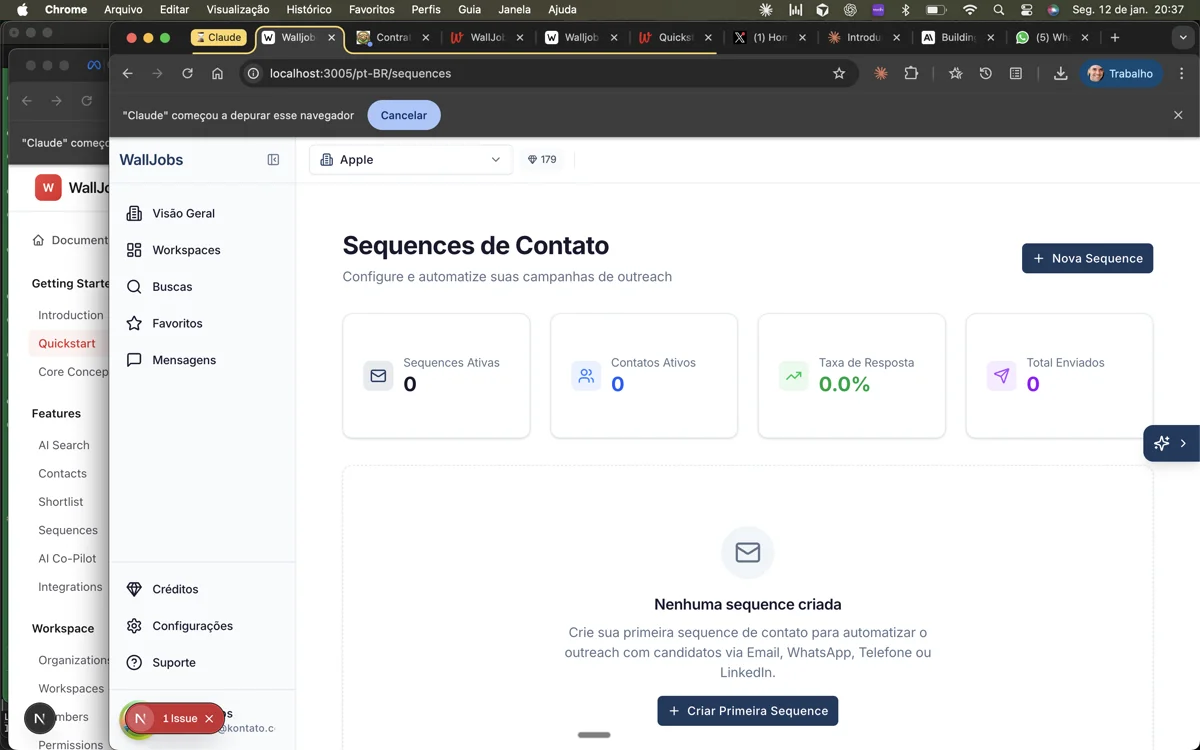
- Navigate to Sequences in the sidebar
- Click New Sequence
- Give your sequence a descriptive name
- Add steps with messages and delays
- Configure settings (send windows, reply detection)
- Save and activate the sequence
Sequence Steps
Each sequence consists of multiple steps. A step includes:
- Channel - Email, WhatsApp, or LinkedIn
- Message - The content to send
- Delay - Time to wait before sending (days/hours)
- Conditions - Optional rules for step execution
Channels
Send personalized emails through your connected email account. Supports:
- HTML formatting and rich text
- Attachments (PDFs, images)
- Open and click tracking
- Reply detection
Send WhatsApp messages through our Kontato integration. Supports:
- Text messages with formatting
- Template messages (for business API)
- Media attachments
- Read receipts and reply detection
Send LinkedIn connection requests and messages. Supports:
- Connection requests with notes
- InMail messages (Premium required)
- Follow-up messages after connection
Personalization
Make your messages personal with merge fields that automatically insert candidate data:
| Merge Field | Description |
|---|---|
{{first_name}} | Candidate's first name |
{{last_name}} | Candidate's last name |
{{company}} | Current company name |
{{title}} | Current job title |
{{location}} | Location |
{{skills}} | Top skills (comma-separated) |
Example personalized message:
Hi {{first_name}},

I noticed you're currently at {{company}} as a {{title}}.
Your experience with {{skills}} caught my attention.

Would you be open to a quick chat about an exciting opportunity
that might be a great fit for your background?

Best,
[Your Name]
Enrolling Candidates
Add candidates to a sequence (enroll them) from:
- Search Results - Select candidates and click "Add to Sequence"
- Shortlist - Enroll candidates directly from your pipeline
- Contact Profile - Click "Start Sequence" on any contact
- Bulk Upload - Import a list and enroll automatically
When enrolling, you can:
- Preview how the personalized message will look
- Schedule the start time
- Skip certain steps if needed
Monitoring & Analytics
Track the performance of your sequences:
- Overview Dashboard - See total enrolled, active, completed, and replied candidates at a glance.
- Step Performance - Track open rates, click rates, and reply rates for each step in the sequence.
- Candidate Status - View the status of each enrolled candidate (pending, active, completed, replied, bounced).
- A/B Test Results - Compare performance between message variants.
Key metrics to watch:
- Open Rate - Percentage of emails opened (email only)
- Click Rate - Percentage of links clicked
- Reply Rate - Percentage of candidates who replied
- Bounce Rate - Percentage of undeliverable messages
Best Practices
Maximize your sequence effectiveness:
- Keep it short - 3-5 steps is optimal. More than that can feel spammy.
- Space out messages - Wait 2-3 days between steps. Don't bombard candidates with daily messages.
- Mix channels - Use multiple channels to increase touchpoints without overwhelming any single inbox.
- Personalize meaningfully - Go beyond just using their name. Reference their work, skills, or recent achievements.
- Test and iterate - Use A/B testing to find what resonates with your target candidates.
- Respect opt-outs - Make it easy to unsubscribe and honor requests promptly.